

01 / Instant signal
The flag is the answer.
See the server country without opening a panel. IP Flag keeps the signal right in your browser toolbar.
 IP Flag
Website server intelligence
IP Flag adds a country flag to your browser toolbar and reveals the IP, network and location behind any website in one click.
 ipflag.io
What you get
Understand the infrastructure behind a website without opening developer tools or another tab.
See the server country without opening a panel. IP Flag keeps the signal right in your browser toolbar.
See the server IP, ASN, network organization, SSL certificate and domain registration details in one panel.
Turn raw infrastructure data into a place you can understand at a glance, without leaving the page.
How it works
Browse normally. IP Flag handles the lookup and keeps the answer close.
Visit any regular HTTP or HTTPS page in your browser.
The toolbar icon changes to the server country flag.
One click reveals the IP, network, city, certificate and map.
Privacy, plainly
The extension sends the website hostname or server IP to IP Flag API. Location and ASN lookups run locally on our server using MaxMind GeoLite2. Results stay on your device for up to 10 days. Map images load only when you open the panel.
IP FLAG / FAQ
Install IP Flag and open a website. The toolbar shows the country flag of the resolved server. Click the icon to see its IP address, country, city and static map.
ASN identifies the autonomous network associated with the IP, while ISP shows the network provider or organization. SSL shows the website’s certificate and expiry status. WHOIS provides domain registration details and age.
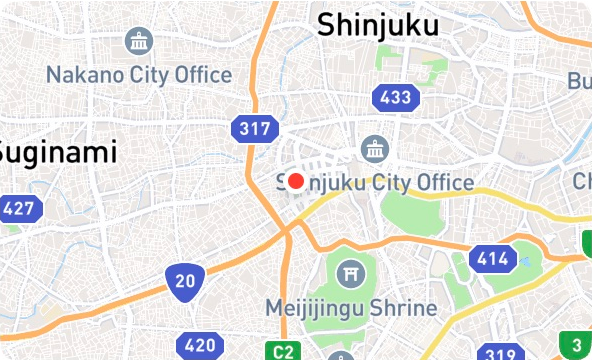
The map shows the approximate location of the server IP that was looked up, rather than the visitor’s location. CDNs, proxies and distributed hosting can return different servers, whose locations may differ from the website operator’s address.
IP FLAG / DATA
The services behind a clearer view of every website.
Available on Chrome
Install IP Flag from the Chrome Web Store.
Add to Chrome
